Discount stacking is when more than one discount applies to the same order. A 20% sale on your summer collection alongside free shipping, or a loyalty code on top of a member price.
Whether two discounts stack comes down to three rules:
- Class: Every discount is a product, order or shipping discount, and Shopify applies them in that order.
- Permission: Two discounts combine only if the combination settings on both allow it. Nothing combines by default.
- Value: Where they can't combine, Shopify automatically applies whichever gives the customer more discount.
In this guide we look at the five stacking problems merchants run into most often, why each one happens, and how to fix it.
P1: Only one of my two product discounts is applying to the item
Why it happens
Shopify applies one product discount per cart line. Product discounts combine with each other, but only across different products. Run 20% off a collection and 10% off a variant inside it, and the best discount gets applied.
How to fix it
Configure the two discounts separately. Decide which offer owns each product, then exclude items that carry their own offer from the broader collection. Where both offers need to reach the same product, you're choosing between them.
On Plus, Ultimate Discounts supports stacking at the line level, so two product discounts can apply to the same item. Below Plus, what the Rule Builder changes is how you keep your offers apart.
P2: Shopify is applying the wrong discount
Why it happens
When two discounts can't combine, Shopify chooses between them rather than reporting an error. It applies whichever gives the customer the larger reduction, checked on each line item and again at the order level.
A sitewide 25% offer will override your targeted 15% campaign. The only evidence is a smaller total than you expected on the order.
How to fix it
Set the priority yourself rather than leaving it to the default. In Ultimate Discounts, the Discount Application Strategy controls this.
| Strategy | What it does | Use when |
| First | Applies the first offer whose conditions are met | Campaign priority matters. A VIP tier that should always win. |
| Maximum | Applies the largest reduction | The customer should receive the best available deal |
| All | Applies every qualifying offer across different line items | Several offers should run at once on different products |
With ‘FIRST’ the order you arrange your offers in becomes the priority order.
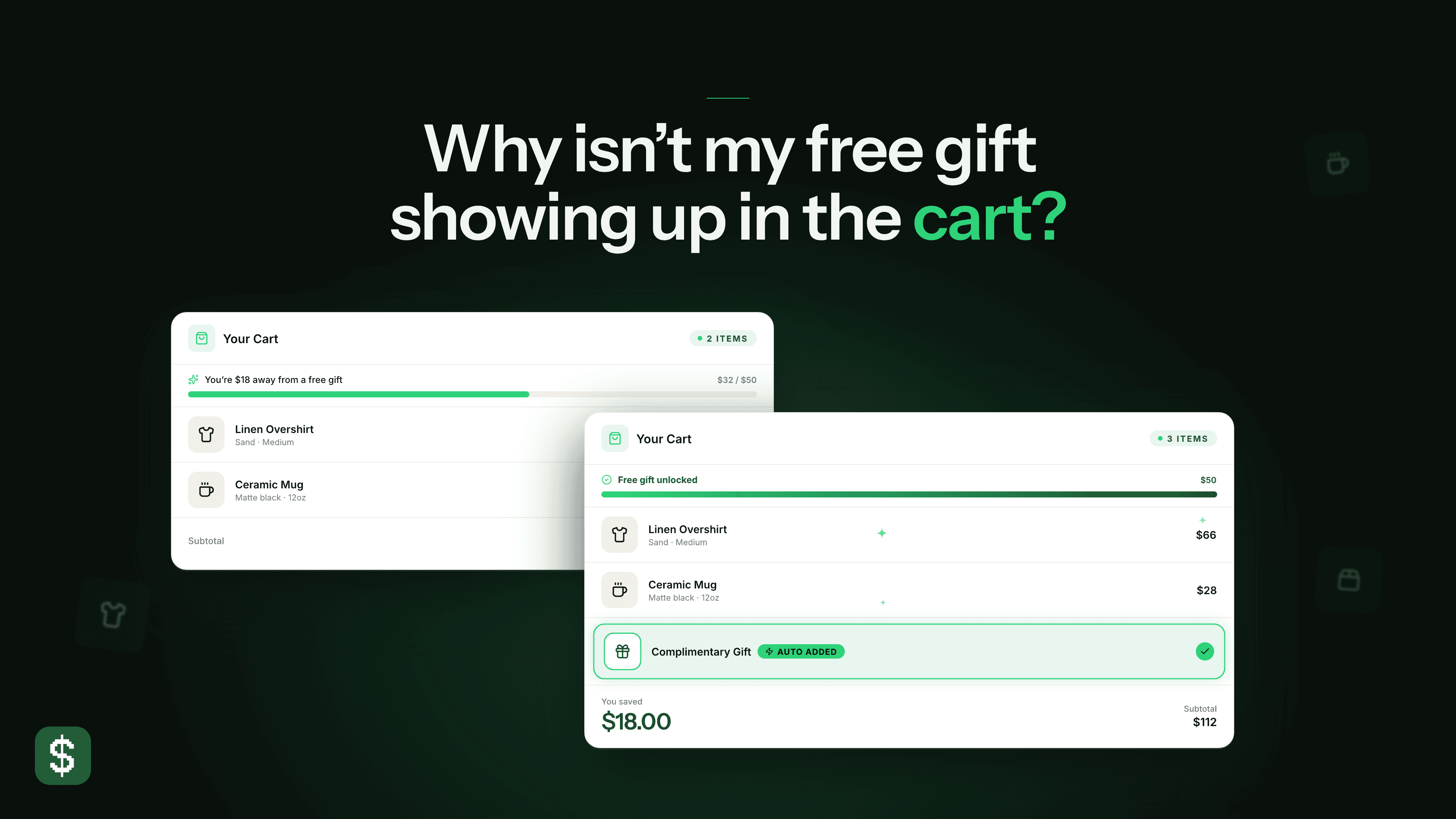
P3: Free gift disappears when a customer enters a discount code
Why it happens
On stores using Shopify's native Buy X Get Y, products in that discount aren't eligible for further product discounts. When a customer enters a code covering those products, Shopify applies whichever is worth more overall.
The outcome depends on the numbers. If the code is the larger saving, the gift is dropped. If the Buy X Get Y is worth more, the code is refused. Either way one of them goes, and nothing tells you which.
Problem
Shopify’s BxGy applies the discount across all items (including customer buys and gets)
Item A - (line discount of 0% added)
Item B - (line discount of 0% added)
Item C (free gift) - (line discount of 100% added)
When using our app, we can simply apply the line discount to Item C alone, this means Item A and B can be targeted for other discounts
There's an exception, and it only applies to app discounts rather than Shopify's standard ones. On Plus, an app discount can combine with the customer-gets side of a Buy X Get Y, meaning the gift line itself, on the same line item. The customer-buys side still falls back to the best-value comparison.
How to fix it
Scope your code to a collection that excludes the Buy X Get Y products, so the two can't apply to the same items. The alternative is to make the code an order discount rather than a product discount, which takes it out of the product-level comparison.
Combination settings still have to permit the pair on both discounts, so this makes stacking possible rather than automatic.
Test this before the campaign goes live. Build a qualifying cart, confirm the gift is present, then apply the code and check whether it's still there.
P4: Customers are using loyalty codes on top of my sale price
Why it happens
Loyalty and rewards apps generate codes dynamically. Combination settings would close this, but you can't exclude codes that don't exist yet.
How to fix it
Ultimate Discounts blocks codes by pattern rather than by name, through Reject Discount Codes on the v2 engine. Match a code exactly, or match on starts with, ends with, or contains. Most rewards apps prefix consistently, so rejecting everything that starts with SMILE_ covers every code that app will ever generate.
P5: My app discount won't combine with a native Shopify discount
Why it happens
An app discount declares which discount classes it uses. The native discount's combination settings then have to permit every class the app discount declares, not only the class actually in play.
An app discount declaring product, order and shipping won't combine with a native discount that permits product discounts alone, even when product is the only class involved.
How to fix it
Narrow the declared classes to what the discount actually does. A product discount declares product, nothing else.
If the pair still won't combine, check the native discount's settings against each declared class in turn. The class that isn't permitted is the cause.
When native combination settings are enough for your store
If you run a handful of promotions at a time and want free shipping alongside an order discount, Shopify's combination settings do that on their own. There's nothing an app adds.
You need an app when you want to control which offer applies rather than accepting the largest, carry several offers on one code, or block codes you can't list in advance.
FAQs
In what order does Shopify apply stacked discounts? Product discounts first, then order discounts against the revised subtotal, then shipping. This is why a product discount can reduce the subtotal below the minimum an order discount requires.
How many discount codes can a customer use? Five product or order codes plus one shipping code, and they combine only if each one's settings permit the others.
How many automatic discounts can I run at once? Twenty-five active at a time, including app-based discounts.
Can I stack two product discounts on one item? Not on normal Shopify plans. On Plus - it’s possible when using an app like Ultimate Discounts. On other plans - Shopify applies the best product discount per cart line, and that limit holds regardless of your app's settings.
Do discounts combine by default? No. Combination settings have to be enabled on both discounts in a pair, not one.